
Blogs & Events
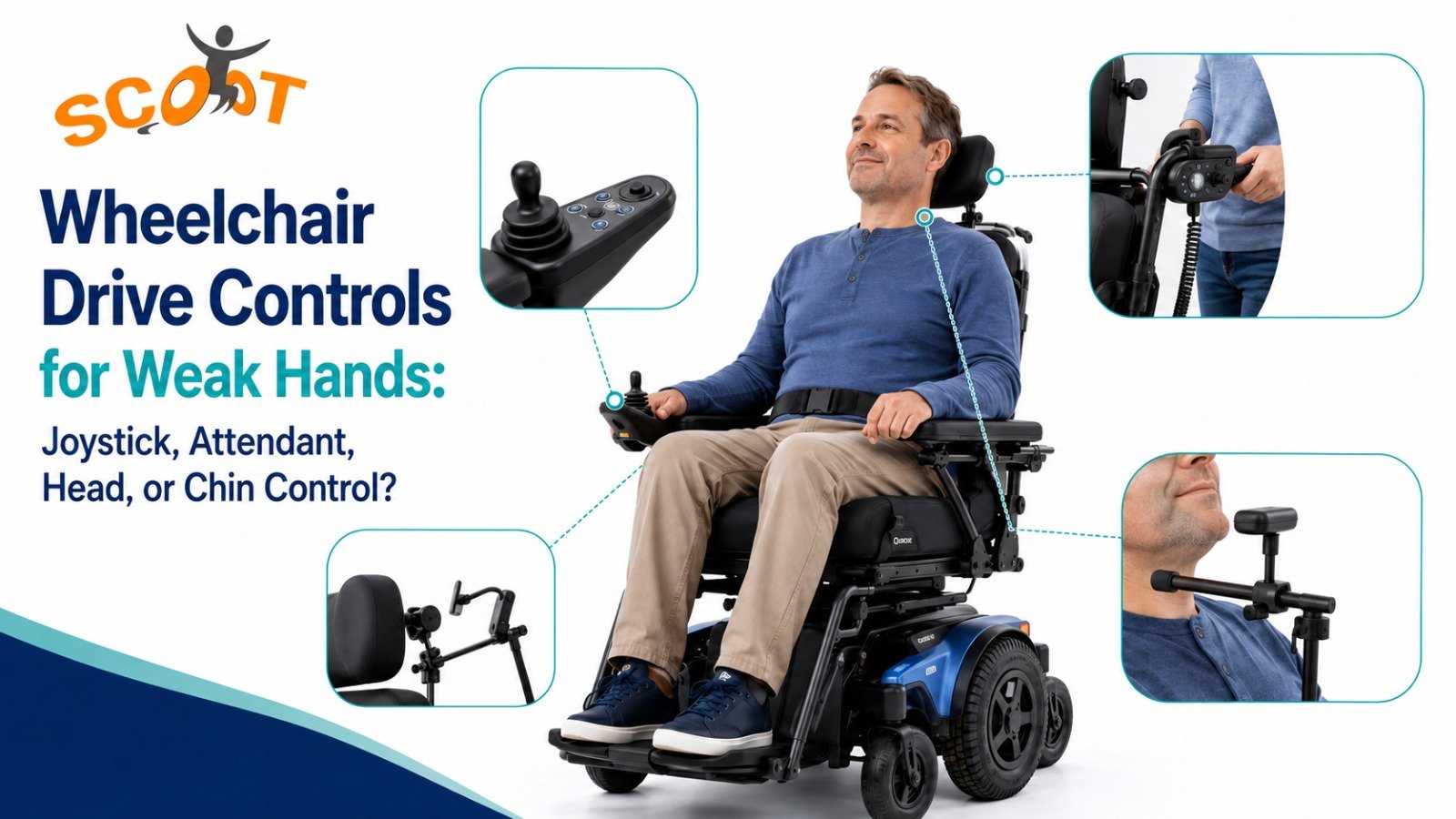
Wheelchair Drive Controls for Weak Hands: Joystick, Attendant, Head, or Chin Control?
Do your fingers tire before your wheelchair reaches the next room? Many users in India face weak grip, tremors, spasticity, fatigue, or reduced arm movement. A standard control may feel too firm, too far, or too sensitive. Therefore, wheelchair drive controls for weak hands need proper assessment, not guesswork. A better control can reduce strain and make turning safer.
Start With Body Control Before The Wheelchair Model
The chair should follow the body, not force the body to struggle. First, a therapist or mobility specialist checks hand strength, finger range, shoulder control, sitting balance, neck control, vision, skin risk, and daily route. Because of this, power wheelchair control options should match both body function and place of use. The right option may use the hand, chin, head, switches, breath control, or caregiver input. However, seating, posture, speed settings, and controller position should work together.
For a wider control overview, explore Scoot’s related control guide.
How Wheelchair Drive Controls For Weak Hands Should Be Selected
Good selection starts with one question. Which body movement can the user repeat with control, comfort, and safety? After that, the specialist tests speed, stop response, turning range, fatigue, and emergency support.
During the trial, small changes should be recorded. For example, one user may drive well for five minutes yet lose accuracy after lunch or therapy. Another user may turn well on smooth flooring but struggle on a ramp. Therefore, the test should include start, stop, reverse, doorway entry, table approach, and caregiver handover. The family should watch face strain, finger shaking, shoulder lift, and breath effort. After this, the specialist can adjust sensitivity, acceleration, joystick throw, switch timing, and stop delay. This prevents wrong fittings and supports safer learning at home.
Low-Effort Joystick Wheelchair Control For Small Hand Movements
A joystick can still work when the hand feels weak, provided the force stays low and the knob shape suits the user. Some users manage better with a mushroom handle, T-bar, goalpost handle, or softball grip.
A good joystick setup avoids overreaching. It also allows speed limits for indoor turns. For wheelchair drive controls for weak hands, tiny details change the result. A stiff wrist may need forearm support. A user with tremor may need slower acceleration.
A 2025 study on finger-movement control reported 98.14% testing accuracy and over 21 FPS when finger gestures replaced standard joystick use. The number shows why low-effort inputs deserve careful testing. In any joystick wheelchair control trial, the user should repeat forward, stop, and reverse without pain.
Attendant Control Wheelchair Support For Caregiver-Led Movement
Some users drive alone for short distances but get tired in crowds, ramps, hospitals, or uneven outdoor areas. In such cases, an attendant control wheelchair setup gives a caregiver safer support from the back.
This option helps elderly users, post-stroke users, and people with changing strength through the day. It supports parents managing children with complex seating needs. However, the attendant must learn turning space, braking, charging, and safe speed. A good attendant fitting keeps the caregiver close enough to help without blocking the user’s view during safe indoor use.
Head Control Wheelchair Driving For Users With Strong Neck Control
A head control wheelchair system suits users who cannot rely on arms but can move the head with repeatable control. Sensors or pads near the headrest read movement for forward, reverse, left, and right commands.
For example, poor pelvic support can make the head work harder. As a result, the user may press the wrong pad while turning. So, the team should set the backrest, lateral supports, and headrest before programming. A 2025 head-controlled wheelchair study reported over 90% directional accuracy with a 45° head tilt, which supports its use.
Chin Control Wheelchair Use When Arms Cannot Take Load
A chin control wheelchair system places a small joystick near the chin. Users guide the chair through small chin or lower-face movements. This can suit spinal cord injury, muscular dystrophy, or poor shoulder movement.
Still, the setup needs care. The joystick should not block eating, speaking, breathing, or transfers. Also, the mount must stay stable on bumpy floors. If jaw movement feels hard to control, the specialist may add speed limits or consider another input.
Switches, Sip-And-Puff, And Seating Support
Switch controls use buttons placed near a body part that moves well. That may be a finger, cheek, knee, elbow, or head side. Sip-and-puff uses breath pressure through a tube.
Control Type | Best Body Input | Better For | Main Check Before Use |
Low-force joystick | Fingers, palm, wrist | Mild to moderate hand weakness | Grip, tremor, reach, fatigue |
Attendant control | Caregiver hand input | Crowds, ramps, long outings | Training, speed, braking |
Head array | Neck and head movement | Poor arm function | Posture, headrest fit, tone |
Chin joystick | Chin movement | Limited arm function | Mount position, speech, comfort |
Switch or sip-and-puff | Small movement or breath | Higher support needs | Accuracy, hygiene, backup plan |
Before final choice, seating must come first. A tilted pelvis, unsupported trunk, or loose head position can spoil even the best control. Therefore, cushions, backrests, lateral trunk supports, belts, and headrests form part of the driving system.
For posture support, also read Scoot’s backrest and lateral trunk support guide.
Daily Mobility Gains When The Control Fits Properly
A correct control setup can change ordinary days. The user may reach the dining table with less shoulder effort. Next, they may turn inside a bedroom without repeated wall hits. After that, a caregiver may feel safer during clinic visits.
Less Strain On Hands, Fingers, And Shoulders
Weak hands often fail after repeated corrections. Because of that, the user may grip harder, lock the wrist, or lean forward. Soon, pain starts. Lower force, better mounting, softer grips, and adjusted speed can protect energy.
Also, the user should test the chair at different times. Morning hand strength may not match evening fatigue. A good trial checks meals, school, therapy, and travel.
Safer Indoor And Outdoor Movement
Indian homes often bring narrow doors, tight bathrooms, uneven parking areas, and busy lifts. Therefore, the chair needs safe turning, smooth stopping, and stable response. Indoor speed can stay low.
Caregivers should also know manual release, charging routine, battery range, and emergency stop. The user should practise doorway entry, U-turns, lift approach, ramp use, and crowd movement.
For active users, read Scoot’s sports wheelchair feature guide.
Better Comfort During Long Hours
Comfort affects driving accuracy. If the user slides forward, the hand may miss the joystick. If the trunk falls sideways, the head may press the wrong sensor. If the armrest height feels wrong, fatigue arrives sooner.
So, seating checks should happen with the control trial. The team should observe skin pressure, breathing, hip position, head support, and hand placement.
How Scoot Fits Control Systems To Daily Use
Scoot looks at the person before the product. Its team can review hand use, posture, head movement, seating need, home access, travel, and caregiver support before suggesting control systems. The range covers low-force joysticks, modified handles, head controls, chin controls, switches, touchscreen systems, and sip-and-puff options. These power wheelchair control options stay linked with cushions, backrests, headrests, harnesses, and limb supports, because posture often decides driving safety.
- Clinical fitment checks body control, daily routine, home layout, and caregiver role before the chair gets suggested.
- Powered chairs support indoor, outdoor, simple, and programmed movement needs, instead of focusing only on price.
- After-sales help can include adjustments, service support, family guidance, therapist coordination, and follow-up visits when the setup changes.
This keeps wheelchair drive controls for weak hands connected to actual use, not brochure claims. This helps families plan school, work, hospital visits, and safer home movement.
For rehab needs, explore Scoot’s custom built wheelchair guide.
TETRA Ex For Powered Daily Movement
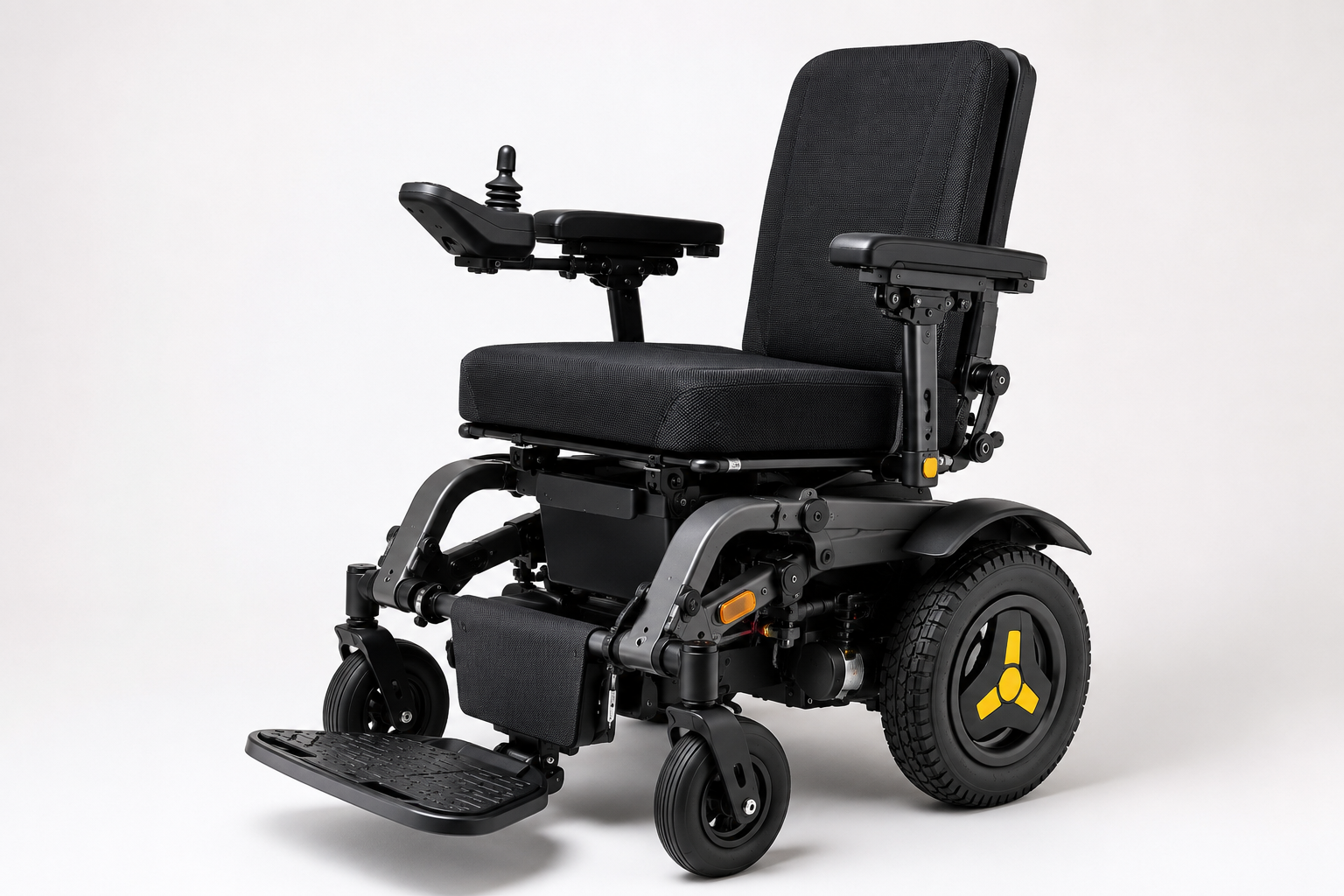
TETRA Ex suits users who need powered movement with stable seating and travel support.
QUICKIE Q100 R For Compact Indoor And Outdoor Use
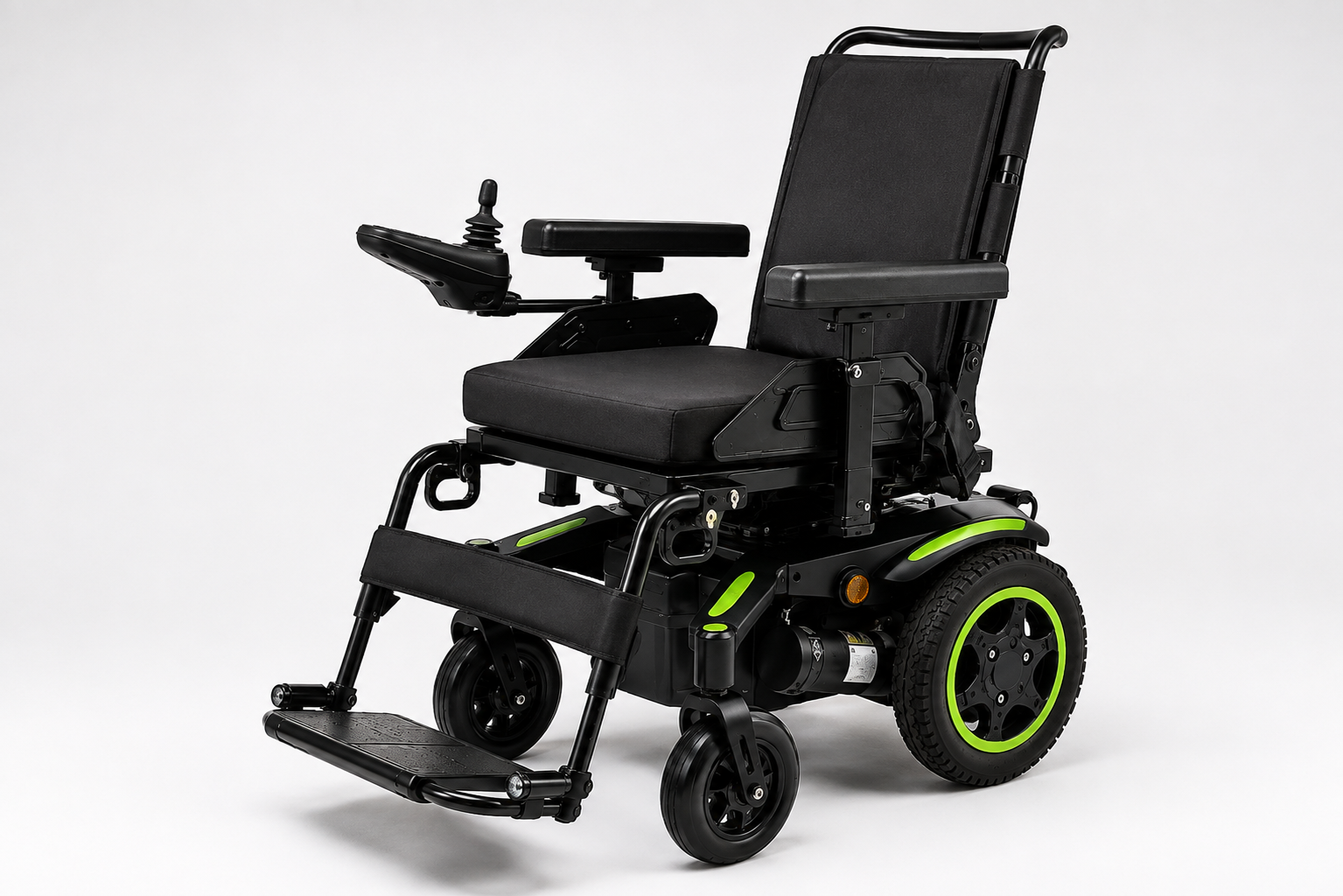
The QUICKIE Q100 R supports compact movement at home, clinics, malls, and narrow corridors.
Whitmyer Headrest Systems For Head Position And Control Accuracy
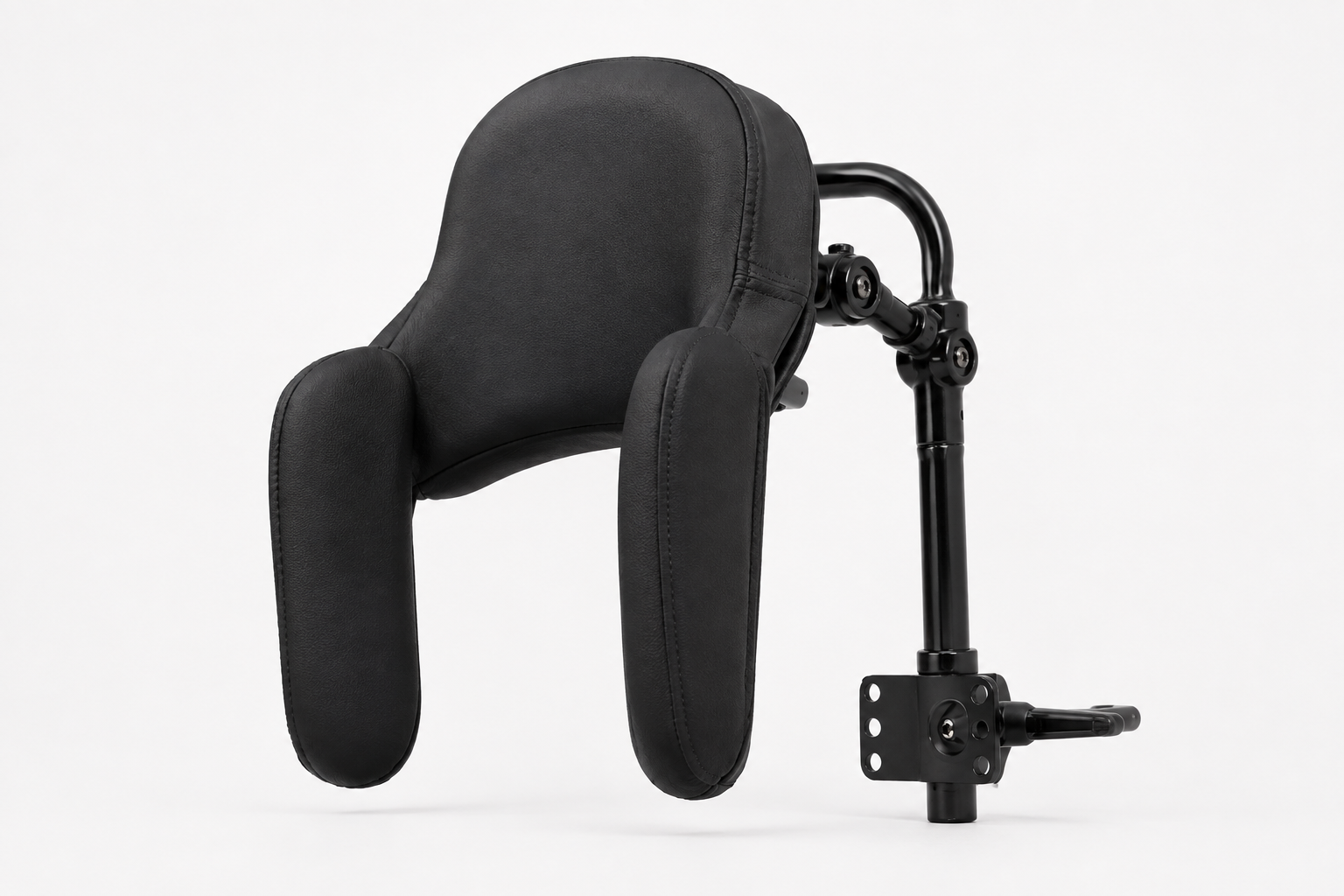
Whitmyer Headrest Systems support head position for head movement, chin input, or switch placement.
Final Thoughts: Choosing A Control That Fits Daily Life
A wheelchair control should reduce effort, not demand more from a tired body. So, the user, family, therapist, and mobility team should test posture, movement, access, and route before purchase.
For users in India, the best setup may involve a low-force joystick, caregiver input, a head array, chin joystick, switches, or sip-and-puff. The right answer comes from safe trials and feedback. For wheelchair drive controls for weak hands, speak to Scoot and we will help match the chair, seating, and control to daily life.
FAQs
What wheelchair drive controls are available for users with weak hands?
Users can choose low-force joysticks, modified handles, head arrays, chin joysticks, switches, sip-and-puff systems, touchscreen input, and attendant controls after assessment.
Can someone use a power wheelchair without strong hand control?
Yes, specialists can set head arrays, chin joysticks, sip-and-puff, proximity switches, or caregiver controls when hand grip cannot manage safe driving indoors.
What is the difference between joystick, attendant, head, and chin control?
Joysticks use hand input, attendant control uses caregiver input, head arrays read head movement, and chin systems use lower-face movement for wheelchair driving.
Who needs attendant control in a power wheelchair?
Users who fatigue, panic in crowds, face poor vision, or need caregiver support on ramps may need attendant control after a clinical review.
How do specialists choose the right wheelchair control system?
They test repeatable movement, posture, tone, fatigue, vision, home access, pressure care, emergency stopping, caregiver role, and trial driving before final selection.